

Margin Calculator with VAT – Profit Margin, Markup & Price
The margin and VAT calculator is a quick tool that shows what to charge for a product so you keep the profit margin you want after value added tax. Enter the VAT rate, your net cost and your target margin, then click the Calculate button to see your gross cost, markup, net price, gross price and profit per sale. Also try the Safety Stock Calculator.
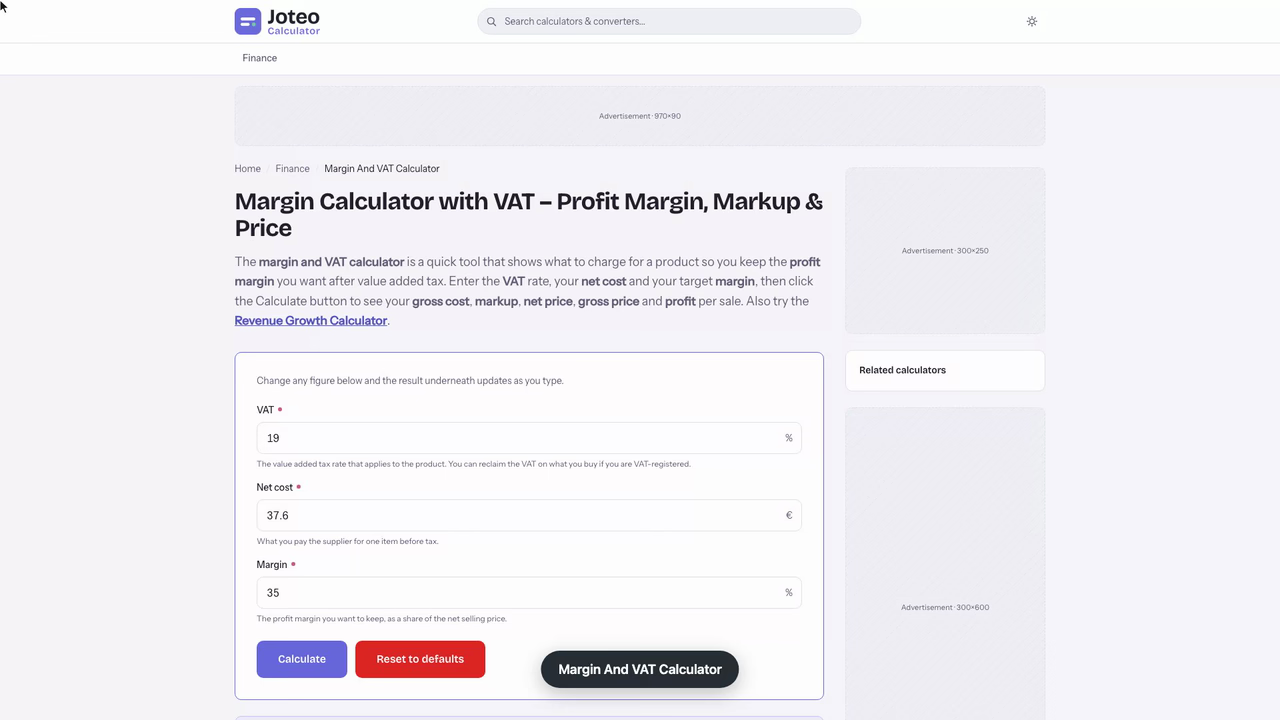
Margin And VAT Calculator inputs and result
Gross price
—
- Net price
- —
- Profit
- —
- Markup
- —
- Gross cost
- —
Table of contents
Who wrote and checked this page


Every product you sell carries two percentages at once: the share of revenue you keep and the tax you only collect on someone else's behalf. The margin and VAT calculator separates the two for you — enter a net cost, the rate and the margin you want, and you get the gross cost, both selling prices, the markup and the profit on each sale, worked out on the figure that is actually yours.
What the Margin and VAT Calculator Works Out
Most retail and e-commerce sellers — and plenty of small businesses selling through a single web shop — buy stock with tax already on the invoice and sell it with tax added again at the till. That double layer is why a plain margin tool is not quite enough. The margin and VAT calculator starts from three inputs and produces five results, so the whole path from supplier to customer sits on one screen.
- Net cost — what you pay the supplier before tax (your cost of goods sold for that item).
- VAT rate — the percentage charged in your country, entered as a whole number such as 19.
- Margin — the target margin you want to keep, as a percentage of the net sale.
From those three it returns the gross cost (your purchase cost including tax), the net price you need to charge, the gross price your customers actually pay, the markup that margin implies, and the profit per item in currency. Because each field is linked, you can also run it backwards: start from a shelf figure you know the market accepts and read off the most you can afford to pay a supplier.
Inputs You Need Before You Start
You only need one invoice line and one decision. The invoice gives you the net cost; your local tax rules give you the rate; the margin is the choice. If a supplier only quotes you a tax-inclusive figure, divide it by one plus the rate first — the tool does this automatically when you type into the gross cost field instead.
How to Use This Online Margin Calculator Step-by-Step
The fields follow the order most sellers think in: cost first, then tax, then the margin goal. Here is the full sequence.
- Type the supplier's net cost per item, before tax.
- Enter the rate that applies to the product — a standard, reduced or zero rate.
- Enter your target margin as a percentage, not a decimal (35, not 0.35).
- Read the net price: this is what the online margin calculator says you must charge before tax to keep that margin.
- Read the gross price: the figure for your price tag, till or product listing.
- Check the markup and profit to see what the margin means in cash and against cost.
Gross Margin Formula and the Tax Formulas Behind It
Every result on the tool comes from four short equations. In each, \(c\) is the net cost, \(m\) is the margin as a decimal and \(v\) is the tax rate as a decimal.
Gross Cost from Net Cost
Adding tax to a cost is a single multiplication:
$$\text{Gross cost} = c \times (1 + v)$$This is the figure that leaves your bank account when you pay the supplier. If you are registered for tax, you usually reclaim the tax part, which is why margin is never measured on it.
Selling Price from a Target Margin
To hit a margin, divide the cost by one minus the margin — do not multiply the cost up by the margin:
$$\text{Net price} = \frac{c}{1 - m}$$This net price is the price excluding VAT. The gross figure your customer sees is then:
$$\text{Gross price} = \frac{c}{1 - m} \times (1 + v)$$Profit Margin Formula and Markup
The profit margin formula compares profit with revenue, while markup compares the same profit with cost:
$$\text{Margin} = \frac{\text{Net price} - c}{\text{Net price}} \times 100 \qquad \text{Markup} = \frac{m}{1 - m} \times 100$$In a spreadsheet, with net cost in B2 and margin in C2 as a percentage, the net figure is =B2/(1-C2) — the same division the gross margin formula relies on.
Worked Example: A 35% Margin on a €37.60 Item at 19% VAT
Say you run a small homeware shop in Germany and buy ceramic table lamps from a wholesaler at €37.60 each before tax. The German standard rate is 19%, and you want a 35% margin on every lamp. Here is what the calculator returns. See also our Hhi Calculator.
- Gross cost: 37.60 × 1.19 = €44.74 paid to the wholesaler, of which €7.14 is reclaimable tax.
- Net price: 37.60 ÷ (1 − 0.35) = €57.85.
- Profit per lamp: 57.85 − 37.60 = €20.25.
- Markup: 0.35 ÷ 0.65 = 53.85% on cost.
- Gross price on the tag: 57.85 × 1.19 = €68.84, which includes a €10.99 VAT amount you pass on to the tax office.
Check the result the other way round: €20.25 of profit divided by €57.85 of revenue is 35%, exactly the margin you asked for. The €10.99 collected at the till is not income — after you offset the €7.14 you paid on the purchase, you owe roughly €3.85 on that one sale, and none of it belongs in your profit figure.

What the Same Lamp Looks Like if You Get It Wrong
Two shortcuts give very different answers for the same item. Adding 35% to the €37.60 cost gives a sale price of €50.76, which is only a 25.9% margin on that revenue. Measuring margin on the €68.84 tag instead of the net figure shows a flattering 45.4%, an overstatement of almost ten points that disappears the moment the tax return is filed.

Margin vs. Markup: Why the Two Percentages Differ
Margin is profit as a share of the selling price; markup is profit as a share of the cost. Both describe the same transaction, but they divide by different numbers, so markup is always the larger of the two. A markup calculator and a margin tool are therefore not interchangeable — mixing them up is the most expensive habit in small-shop arithmetic.
Converting Margin to Markup
Turn the margin into a decimal, subtract it from one, and divide the margin by that result. A few common targets:
- 15% margin = 17.65% markup
- 35% margin = 53.85% markup
- 45% margin = 81.82% markup
- 55% margin = 122.22% markup
The gap widens fast. Past a 50% margin, the markup is above 100%, meaning you charge more than double the net cost. Keystone pricing — doubling the cost — sits exactly on that line, delivering a 50% margin, which is why it survives in fashion and gift retail where every markdown and shrinkage loss eats into the season's revenue. Enter 50 in the margin field and the calculator shows the crossover directly: a 100% markup, with the rate then applied on top of that doubled figure.

Repricing a Bike Light After a Supplier Increase with the Margin Calculator
A cycle shop in Utrecht gets a new price list on a Monday morning: the rear light it sells most of rises from €11.84 to €12.93 net. The tag on the shelf still reads €21.95, and the owner's cash-flow plan with the bank assumes a 32% gross margin across accessories. Before touching any labels, she opens the calculator. You might also find our Revenue Growth Calculator useful.
First she checks where the old tag now leaves her. She types €12.93 as the net cost and 21 as the rate, then enters €21.95 in the gross price field. The tool strips the Dutch 21% VAT back out to a net price of €18.14 and reports a margin of 28.72% — €5.21 of profit per light, down from €6.30. That is more than three points under the 32% her plan depends on.
Next she clears the gross price and types 32 into the margin field instead. The net price comes back at €19.01 and the gross at €23.01, with a markup of 47.06%. Nobody prices a light at €23.01, so she tries the two endings her shop uses:
- €22.95 on the tag: 31.83% margin, €6.04 profit — just short of the plan.
- €23.49 on the tag: 33.40% margin, €6.48 profit — clear of it.
The first option misses the bank's figure by less than a fifth of a point, but it misses. She prints new labels at €23.49, then reruns the same margin calculation for the two other lights from that supplier before the afternoon delivery arrives.
Why Profit Margin Belongs on the Price Excluding VAT
The tax you add at the till belongs to the government from the moment it is collected, so it can never be part of your margin. That is the core reason a combined margin-and-tax tool exists: it sets the margin on net revenue first and only then shows the VAT-inclusive figure, so the tax is layered on top rather than mixed in.
The same logic applies to cost. If you are tax-registered, the tax on your purchases is reclaimed, so your true cost is the net cost, not the gross cost. A seller who treats the tax-inclusive purchase figure as the cost understates margin; a seller who treats the tax-inclusive sale as revenue overstates it. Both errors distort every decision that follows.
When Sellers Are Not Tax-Registered
Below the registration threshold, you cannot reclaim tax on what you buy, so the gross cost really is your cost. In that case, type the gross figure as your net cost and set the rate to zero for the sale side. If you trade where there is a general sales tax rather than a value added tax, a margin and sales tax calculator follows the same order, since sales tax is also added at the point of sale.
Gross Margin, Operating Margin and Net Margin
A single product has one margin. A company has three, and a gross margin calculator only shows the first of them.
Gross Profit and Gross Profit Margin
Gross profit is revenue minus COGS, and it is the first line of profit any business reports. Divided by net sales, it gives the gross profit margin: whether buying and selling the goods makes sense before any other bill is paid. This is the figure every product-level calculation produces.
Operating Margin
The operating margin subtracts operating costs — rent, wages, software subscriptions, card commission and other overheads. A strong gross margin with a weak operating one points to expenses, not to prices. The margin the calculator returns is a gross, per-item figure set before these overheads, so the target you enter has to leave room for them.
Net Profit Margin and Financial Health
The net profit margin subtracts everything else, interest and income tax included, and like every margin here it is measured on revenue net of the rate — the per-item profit from the calculator is where it starts. It is the number lenders and any accountant reviewing your accounting look at first, because it shows whether the business is covering its full cost base from the revenue it brings in. A healthy net margin is one of the plainest signs of financial health.
Contribution Margin and the Break-Even Point
Contribution margin is the net selling figure minus the variable cost of one item. Divide your monthly fixed costs by the contribution per unit and you have your break-even volume. Using the lamp example with a €20.25 contribution and, say, €2,430 of monthly fixed costs, you would need to sell 120 lamps a month to cover them.
What Is a Good Sales Margin to Enter for Your Industry?
The margin field is the one input you choose rather than look up, so it pays to know what is normal. There is no universal good number: margin benchmarks only make sense within one sector, because each trade balances margin against volume differently — and every benchmark you compare against is a net figure.
- Grocery and fuel retailers run thin net margins and rely on high volume.
- Hospitality needs high gross margins on food and drink to absorb heavy labour costs.
- Software firms often show gross margins above 80% because each extra copy costs almost nothing.
- Specialist retail and gift shops usually aim somewhere near the keystone line.
Whichever group you sit in, type your sector's typical margin into the calculator first, then compare the gross tag it produces with what similar shops charge. If the tag is far above the market, the problem is what you pay for it, not the margin.
The more useful comparison is with your own business and its history. If your gross profit margin drops two points year on year while your supplier raised prices, that is a buying problem, and repricing — not cutting production costs you do not control — is the fix. Clear pricing strategies that start from the target margin, rather than from a competitor's tag, keep profitability steady as costs move.
Common Mistakes the Profit Margin Calculator Catches
Most margin errors are invisible on a single sale and expensive across a year. A quick check with a profit margin calculator exposes the usual suspects:
- Adding the margin percentage to cost, which delivers a lower margin than planned — the classic pricing mistake.
- Measuring margin on tax-inclusive cash in the till rather than on net revenue, which makes a thin business look healthy.
- Leaving delivery, packaging and platform fees out of cost, so the profit calculator shows money you never see.
- Offering a discount without checking how much profit it removes: at a 35% margin, 10% off the tag takes away more than a quarter of the profit on each sale.
- Treating a max price the market will bear as the answer, instead of working back from it to the highest purchase price that still protects your margin.
The rule that prevents all of these fits in one line, and it belongs in your sales process: set the margin on the net figure first, let the tool add the rate, and only then round the shelf price. Use it as a price setter before an item goes on sale, and as a solver whenever a supplier changes terms.
FAQs around Margin And VAT Calculator
1. Should margin be calculated on the price including VAT?
No. The VAT you collect belongs to the tax authority, so margin is always measured on the net price, excluding VAT. A €68.84 tag at 19% VAT is a €57.85 net price, and that is the figure your margin comes from.
2. How do I work out the gross cost from the net cost?
Multiply the net cost by one plus the VAT rate as a decimal. A €37.60 net cost at 19% VAT gives a gross cost of 37.60 × 1.19 = €44.74.
3. How do I price a product for a set margin?
Divide the net cost by one minus the margin, then add VAT. For a 35% margin on a €37.60 cost, the net price is 37.60 ÷ 0.65 = €57.85 and the gross price at 19% VAT is €68.84.
4. What is the difference between margin and markup?
Margin is profit divided by the net selling price; markup is the same profit divided by the cost. A €20.25 profit on a €37.60 cost sold for €57.85 is a 35% margin but a 53.85% markup.
5. What markup do I need for a given margin?
Use markup = margin ÷ (1 − margin). A 15% margin needs a 17.65% markup, a 45% margin needs 81.82%, and a 50% margin needs exactly 100%.
6. Why does adding the margin percentage to cost give the wrong price?
Adding 35% to a €37.60 cost gives €50.76, which is only a 25.9% margin, because margin is measured against the selling price, not the cost. Dividing by one minus the margin avoids this.
7. What is the difference between gross and net profit margin?
Gross profit margin compares revenue with the cost of the goods sold. Net profit margin also subtracts overheads, interest and tax, so it shows what the business keeps. This calculator gives the gross, per-item figure.
Report an issue with this page
Spotted a wrong result or unclear explanation? Report an issue or read our editorial policy.