

Website Ad Revenue Calculator: Estimate Ad Revenue
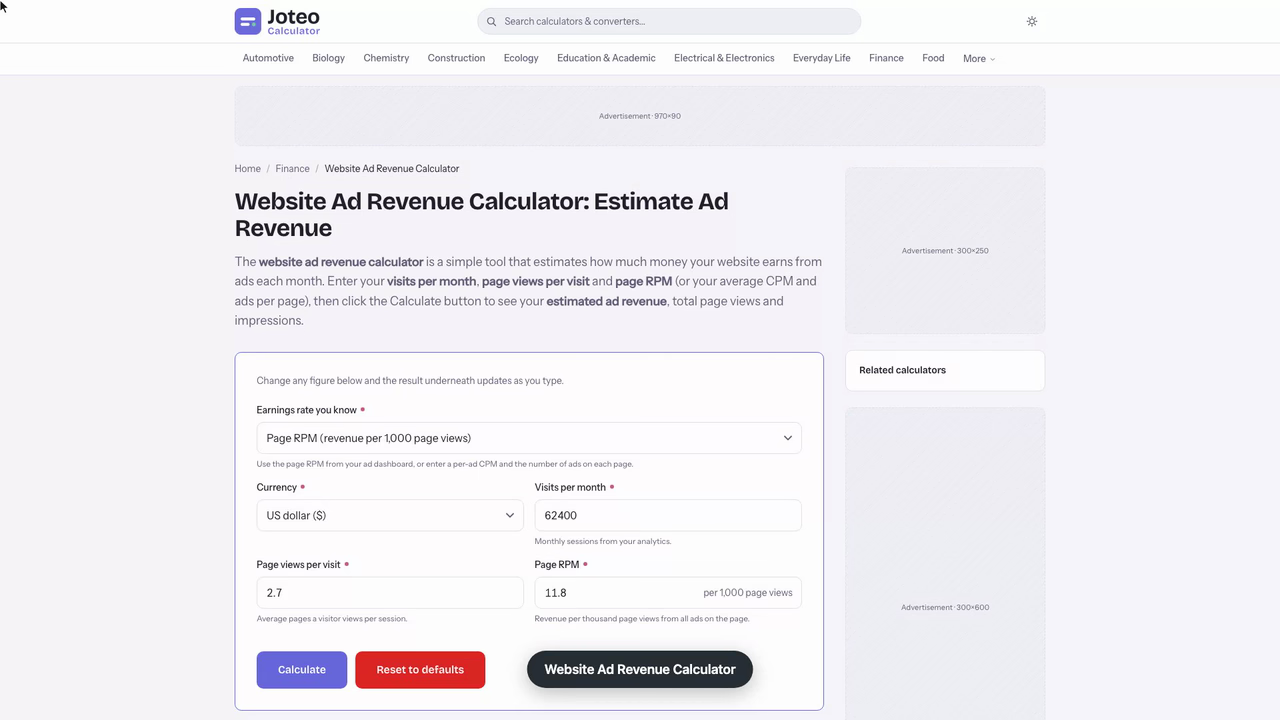
The website ad revenue calculator is a simple tool that estimates how much money your website earns from ads each month. Enter your visits per month, page views per visit and page RPM (or your average CPM and ads per page), then click the Calculate button to see your estimated ad revenue, total page views and impressions. Also try the Customer Retention Rate Calculator.
Website Ad Revenue Calculator inputs and result
Estimated ad revenue per month
—
- Monthly page views
- —
- Total ad impressions per month
- —
- Page RPM used
- —
Table of contents
Who wrote and checked this page


Wondering what your traffic is worth? This website ad revenue calculator turns your visitors and page views into a monthly earnings figure, so you can judge whether your website's content and audience are ready for ad monetization before you commit to anything.
How the Website Ad Revenue Calculator Works
The tool multiplies three numbers you already track: your visit count, page views per visit and your page RPM. Like other website ad revenue calculators, it treats every ad on the page as one pool of earnings, so the answer is revenue per page, not per banner. Here is what each input means: See also our Grp Calculator.
- Visits: sessions on your site, where one session can include several pages.
- RPM: revenue per thousand views, the figure your publisher dashboard reports.
- CPM: the cost per thousand impressions an advertiser pays for one ad.
- Ad space: each sidebar, banner or in-content slot where display ads load.
Advertisers pay per view or through pay per click, and the calculator only needs the inputs above, so the same advertising maths fits blogs, mobile apps, YouTube channels or social media pages.
Ad Revenue Formula With a Worked Example
To calculate ad revenue for your website, multiply the thousands of views by your RPM:
$$R = \frac{V \times P}{1000}$$Here \(R\) is revenue, \(V\) is views and \(P\) is your RPM. That RPM is simply what you earn per 1,000 page impressions, and some networks label it EPM. Each ad earns its own CPM, so multiply that by the number of ads on the page to reach \(P\), and the estimate follows.
Total Impressions and Ads per Page
Picture a recipe blog with 62,400 visits a month and 2.7 page views per visit, so page views per visitor average 2.7 across the month. That gives 168,480 page views. With four ads per page, the site serves 673,920 total impressions of ad inventory. At an average CPM of $2.95 per ad, the RPM is 4 × $2.95 = $11.80, and revenue is 168.48 × $11.80 = $1,988.06 per month. Counting ad impressions this way and using the RPM route gives identical totals.

How to Estimate Ad Revenue From Traffic in Three Steps
Use these steps to estimate website ad revenue without guessing. Your estimated revenue is only as good as the inputs, and traffic levels on any website shift with the calendar, so treat the result as a range.
Step 1: Estimate Monthly Page Views
Pull the last four months from Google Analytics, add the pageviews and divide by four. If seasonality is strong, such as a ski or garden site, use the quietest months instead. Divide the total by your visit count to get the pages-per-visit input the calculator asks for.
Step 2: Choose a Page RPM and Average CPM
Every niche pays differently: finance and energy sites usually earn more than pets, outdoors or gardening sites. Look up an industry RPM for your topic, then compare it with the average CPM your dashboard shows.
Step 3: Calculate Revenue From Visits
Multiply your traffic by that ratio, divide by 1,000 and multiply by RPM. Stay conservative: payouts reflect filled ads only, and you can optimize later.

Checking Estimated Revenue Before Hiring a Writer
I run a woodworking tools review site and want to hire a freelance writer at $1,200 a month. The question is whether the site's ad income can carry that, so I open the calculator and enter three numbers from my dashboard.
- Visits: 38,260 last month.
- Page views per visit: 2.34, which makes 89,528 page views.
- Page RPM: $11.40, my trailing twelve-month average rather than last quarter's.
The calculator divides 89,528 by 1,000 and multiplies by 11.40, returning $1,020.62 a month in ad revenue. I recompute it by hand to confirm: 89.528 × 11.40 = 1,020.62. That falls $179.38 short of $1,200, so a full-time writer is not covered yet.
| Scenario | Page RPM | Monthly revenue |
|---|---|---|
| Slow season | $8.60 | $769.94 |
| Twelve-month average | $11.40 | $1,020.62 |
| Holiday peak | $14.90 | $1,333.97 |
The sensitivity rerun shows why the input matters. At the holiday peak RPM the same traffic clears $1,200 comfortably, and that is exactly the trap: advertisers bid up in the fourth quarter, so using that RPM all year overstates income by about $313 a month. The number to watch is the twelve-month average.
Using the calculator's page-view and RPM inputs to solve for break-even, $1,200 needs about 105,264 page views, or roughly 44,985 visits at 2.34 pages each. I also check one subtle error: my dashboard's CPM of $3.10 is per ad, not per page, so typing it into an RPM field would give $277.54 and understate the result badly. With three ads per page, the right figure is $9.30.
So I set the writer budget at $1,000 a month, just under the average result, and commit to re-running the numbers when traffic passes 45,000 visits.
When to Calculate Ad Revenue and Read the Result
Website investors run the numbers before buying a site, and owners run them before they set a budget, compare a payout offer or add ads. A result well below your potential ad income usually points to weak user experience or low engagement rather than a bad RPM.
Revenue Goals and Monthly Visitors
Say your revenue goals call for $3,000 a month to cover a freelance programmer. At that $11.80 rate, you need about 254,237 page views, or roughly 94,162 monthly visitors at 2.7 pages each. Treat those revenue targets as optimistic, because ad blockers hide ads from a share of your audience.
CTR and CPC for Click-Based Ads
Some ads pay only on clicks. Click through rate (CTR) is clicks divided by views, and cost per click (CPC) is what the advertiser pays for each one. The calculator does not take either rate directly, so fold them into an effective RPM before entering it. If you buy traffic instead, leads and customers matter more, and brand awareness campaigns care less about that.
Ways to Increase Your Ad Income
Better ad placements and ad formats lift RPM faster than chasing more traffic alone. These changes raise the inputs the calculator uses, so re-run it afterwards. Native ads suit articles, while SEO, email marketing and content marketing bring more readers to the pages that earn.
Optimize Ad Placement Above the Fold
On every website, a slot above the fold sees the most views, so remove extra whitespace and oversized images that push it down. Shorter paragraphs add more spots to test, and better structure improves user engagement and ads performance.
Add Sticky Ads and Video Ads
A sticky unit in the sidebar or footer stays visible while readers scroll. Video ads can run beside display ads, adding revenue without crowding the page. Both formats raise RPM, so re-run the calculator with your new figure.
Ad Monetization: Choosing a Display Ad Provider to Lift Revenue
You can monetize a free website once it has useful content and steady visitors. Premium ad networks run header bidding across ad exchanges and real-time bidding, which tends to pay higher than basic setups. The RPM your chosen provider reports is the figure to enter in the calculator.
Ezoic, Mediavine and Raptive as an Ad Provider
Each ad provider sets a traffic minimum. Ezoic accepts smaller sites, and its Access Now path helps new ones, while Mediavine and Raptive suit larger sites with higher-paying demand. Use the RPM each one reports as your calculator input.
Google AdSense and Smaller Ad Networks
Google AdSense is the usual starting point and reports your RPM directly, so copy that figure into the calculator. Niche providers can follow once your numbers are strong.
FAQs around Website Ad Revenue Calculator
1. How does ad revenue work on a website?
You sell space on your pages to advertisers, usually through an ad network. You are paid per thousand views (CPM or RPM), per click (CPC), or a mix, and the network keeps its share before paying you.
2. What is the difference between page RPM and CPM?
CPM is what an advertiser pays per 1,000 impressions of one ad. Page RPM is what you earn per 1,000 page views across every ad on the page, so it is roughly the average CPM multiplied by the ads per page.
3. How do I calculate website ad revenue by hand?
Multiply monthly visits by page views per visit to get page views, divide by 1,000 and multiply by your page RPM. With the CPM route, multiply page views by ads per page, then by CPM, and divide by 1,000.
4. Where do I find my page views per visit and RPM?
Your analytics tool reports sessions and pages per session, and your ad dashboard (AdSense, Ezoic, Mediavine or Raptive) reports page RPM. Use a recent average, not your best day.
5. Why is my real income lower than the estimate?
Ad blockers hide ads from some visitors, RPM moves with the season and advertiser demand, and not every ad slot fills. Use a trailing twelve-month RPM and treat the result as a range.
6. Can I make money from a free website?
Yes. Useful content and a steady audience in one subject area make a site appealing to advertisers, and an ad network can then fill your ad space.
7. How can I raise my ad revenue?
Grow traffic, place ads above the fold and in sticky positions, add video ads, structure content with short paragraphs and images, and move to a higher-paying ad provider once your traffic qualifies.
8. Does this calculator work for blogs, apps or YouTube?
Yes, as long as you know your views per month and an earnings rate per thousand. Replace visits and page views per visit with whatever your platform reports.
Report an issue with this page
Spotted a wrong result or unclear explanation? Report an issue or read our editorial policy.